

ElegantW3 · Work
Work that ships,
ranks, and moves.
Websites designed for clients. SEO systems built on structure. Tools that solve real problems. Animations that make people stop scrolling. All live, all earning.
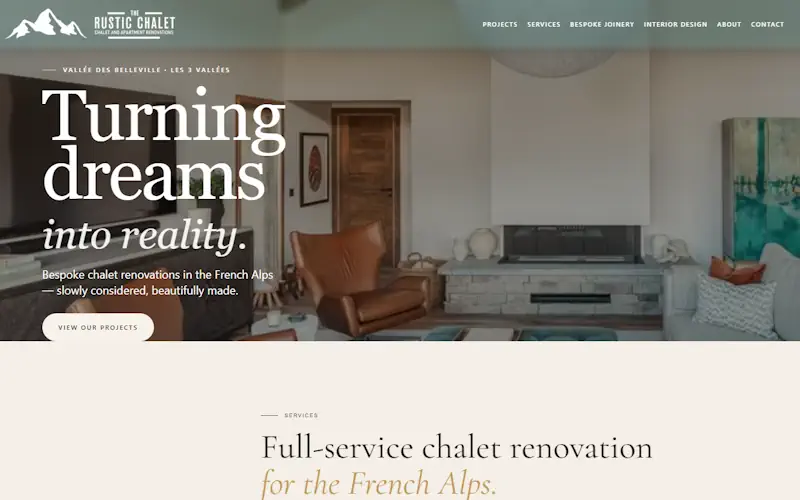
Custom WordPress builds engineered to rank, convert, and impress clients.
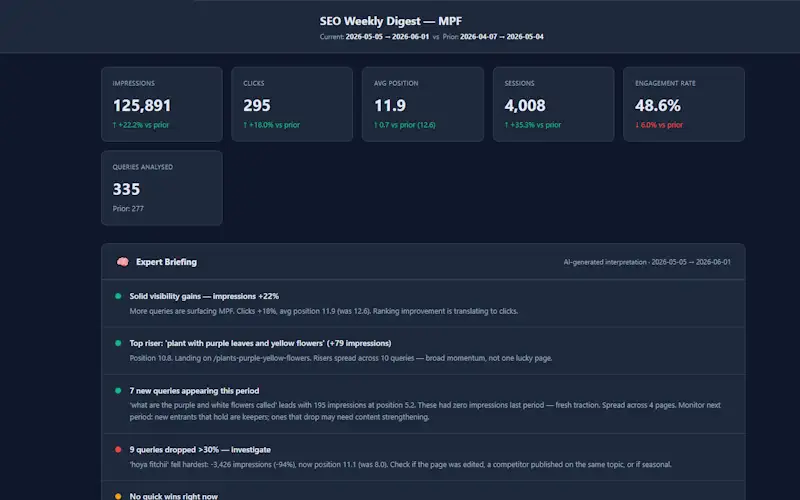
Pillar-cluster architecture, content audits, and AI Overview optimisation that compounds.

Scroll-triggered SVG and canvas animations that make pages stop the scroll.
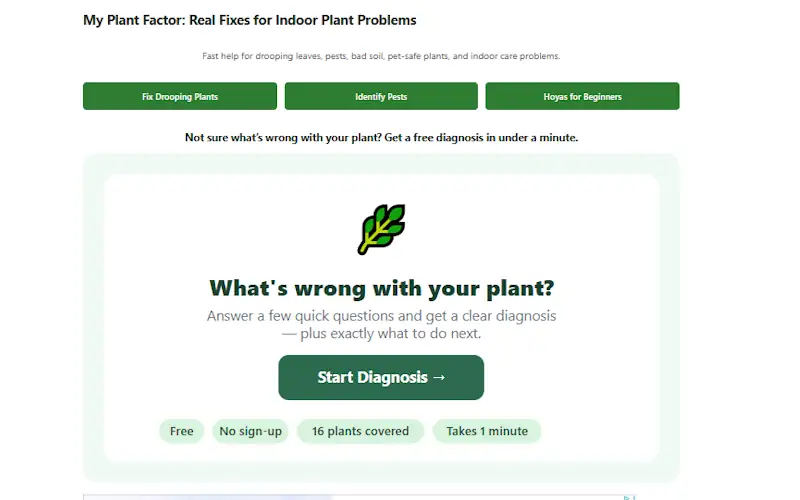
Interactive tools that answer real questions fast — embedded, no dev handoff needed.
Custom WordPress builds
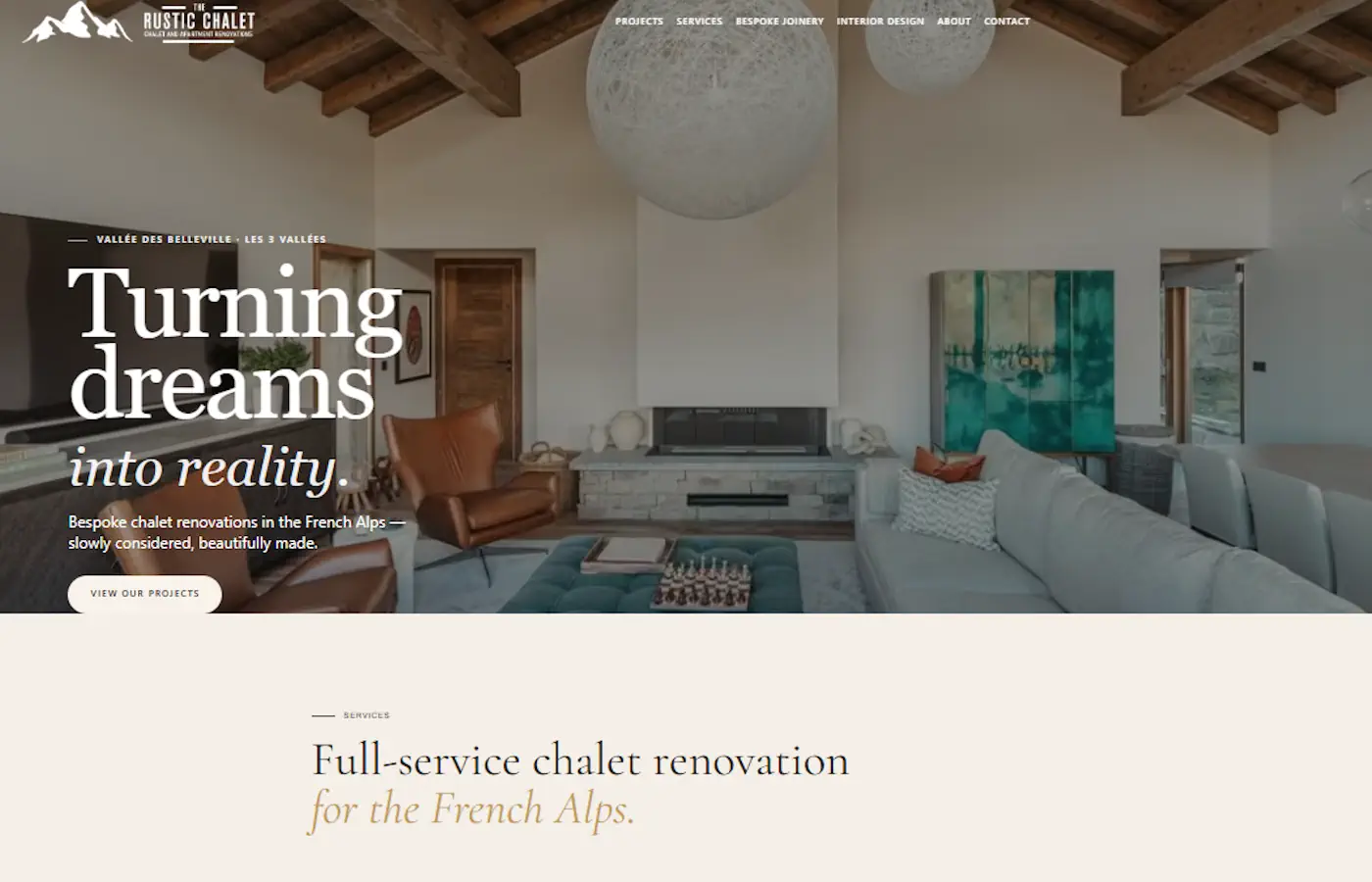
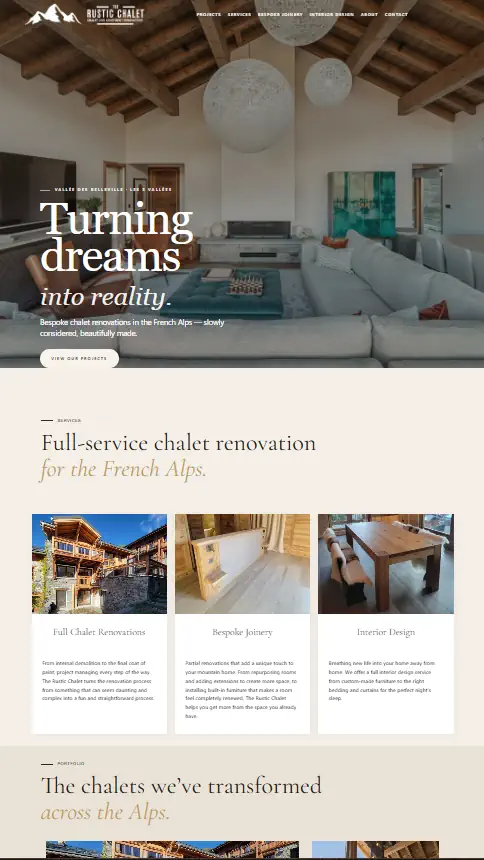
The Rustic Chalet
Renovation showcase for a French Alps chalet business. Goal: attract high-end bookings with a premium feel and fast mobile load.
View live site →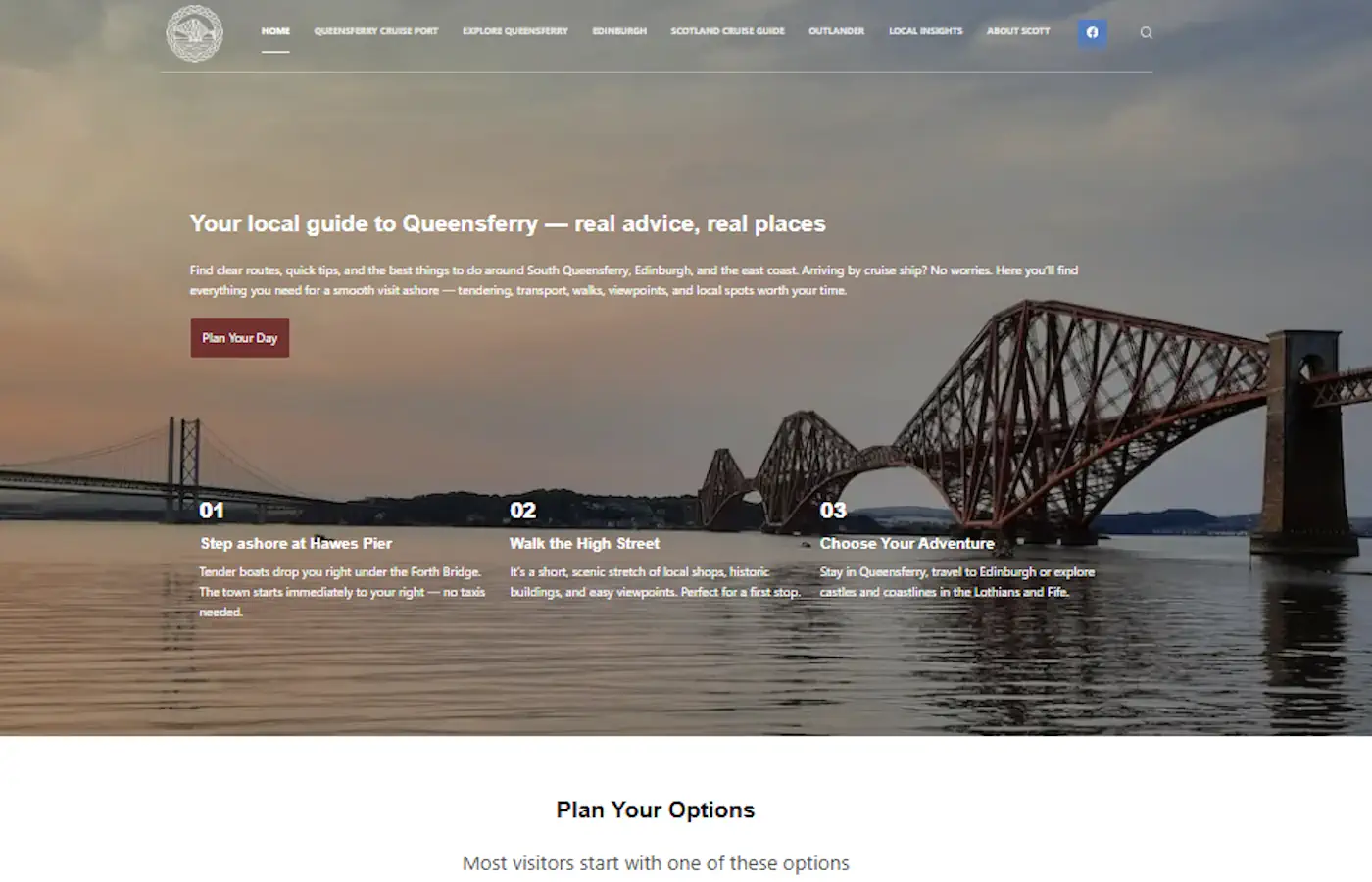
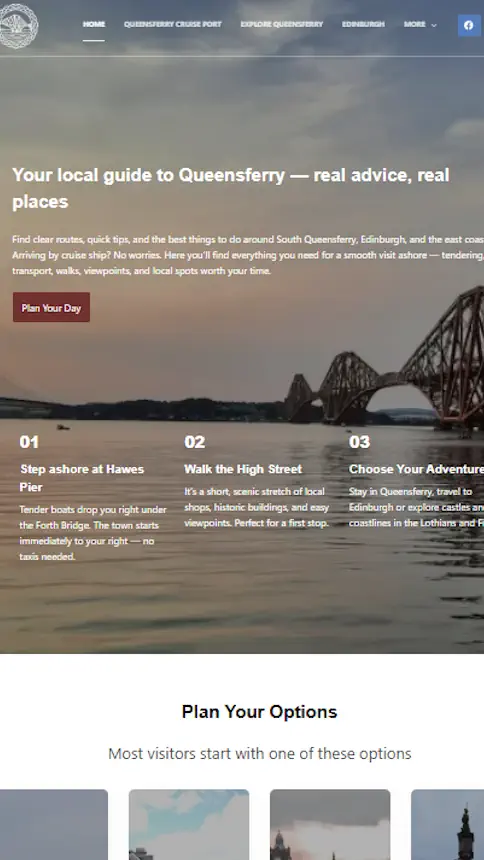
QueensferryNet
A tourism website for that provides information to cruise visitors and day trippers.
View live site →

My Plant Factor
A website to help plant owners diagnose problems. It includes a custom-built app and is built for Adsense and Amazon Affiliates.
View live site →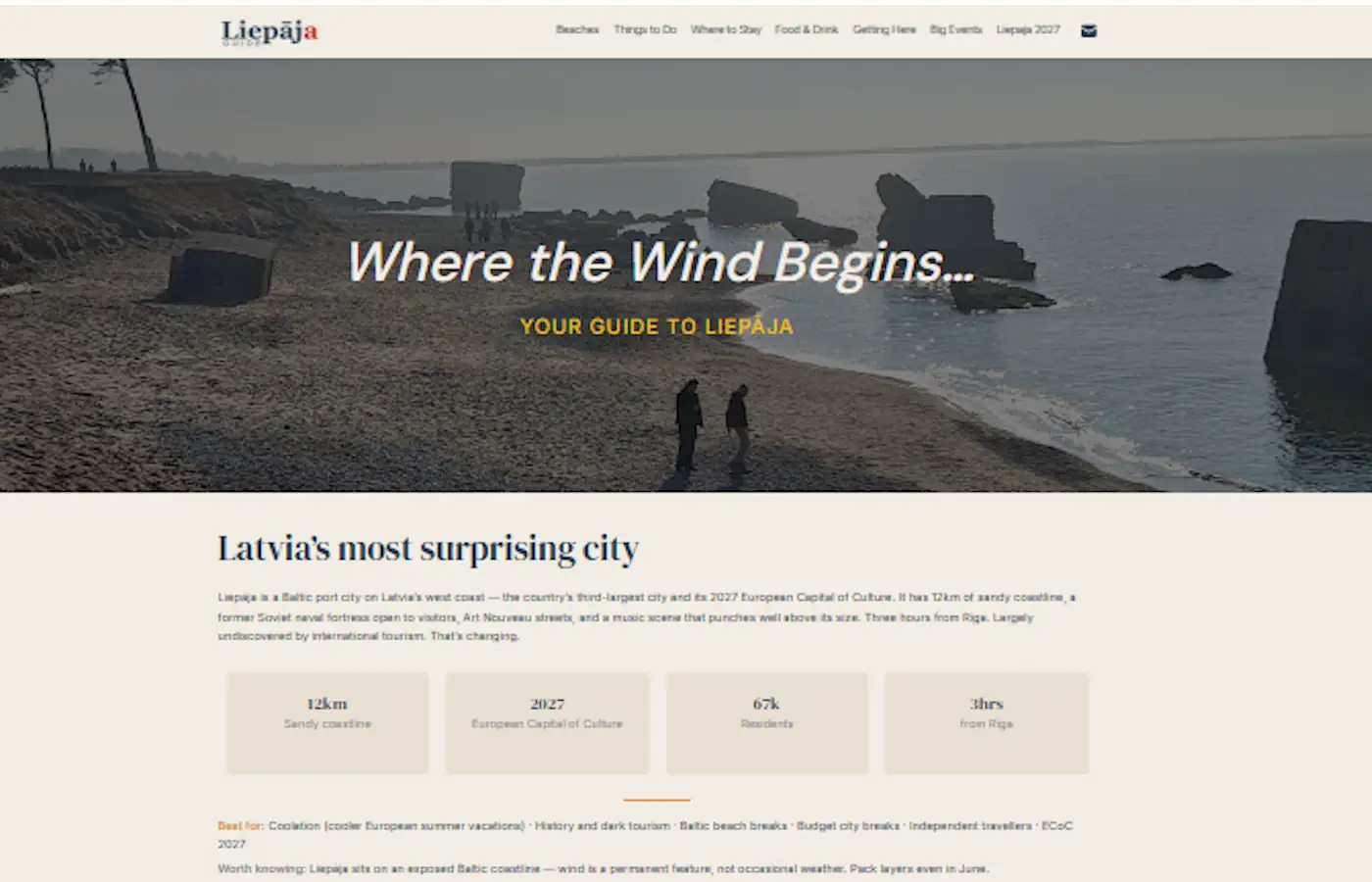

LiepajaGuide
A niche tourist site that provides information on the city, where to stay, what to do, and what’s on.
View live site →Most clients come to me at one of two points — before they’ve ever had a site built, or after they’ve had one for years that isn’t doing what it should. The brief in both cases was about how the site should look, not what it needed to do.
No defined URL structure. No internal link strategy. Schema missing from the pages that need it most. Not because the developer didn’t care — these things simply aren’t part of a standard build brief.
Every project starts with a site map and URL hierarchy before any design decisions are made. Goal, audience, and content architecture come first. The build serves the strategy — not the other way round.
Clients don’t just get a site that looks good in a browser. They get one that’s structured to earn — rankings, enquiries, and revenue — from the day it goes live, not after a round of fixes six months later.
What every project includes
Strategy Before Design
Most sites get built before anyone decides what they’re for. Every project starts with a site map, URL structure, and defined goal — before a layout is touched.
Built to Rank
Schema, heading hierarchy, crawl depth, and internal linking are structural decisions. Sorting them at build time costs nothing. Retrofitting them later costs everything.
AI Overview Ready
AI Overviews pull from pages that answer specific questions cleanly. Entity markup, FAQ schema, and content structure are part of the build — not an afterthought.
Brand System, Not a Theme
Custom type scale, colour tokens, and spacing rules — documented and consistent across every page. The difference between a site that looks designed and one that just looks assembled.
Speed by Default
Lightweight stack, no dead plugins, images optimised before upload. A slow site loses rankings before a visitor reads a word.
Content Architecture
Pillar pages, cluster articles, and internal links mapped before a word is written. The build exists to serve the content strategy, not the other way round.
Content architecture & ranking systems
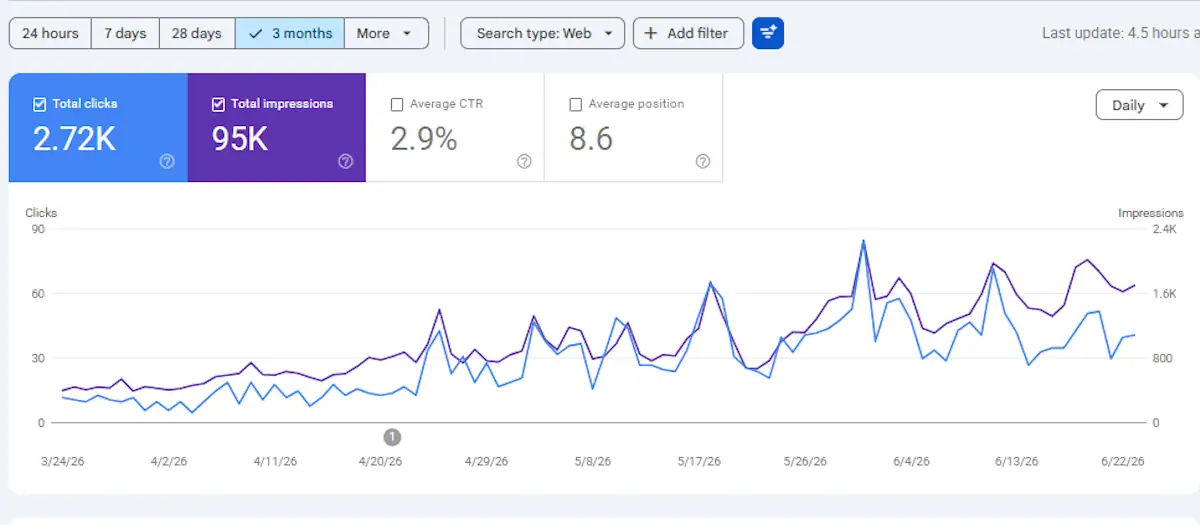
580% click growth in 3 months
Content architecture and internal linking strategy deployed across queensferry.net. Impressions scaled to 95K before clicks followed — exactly the sequence that signals genuine authority growth.
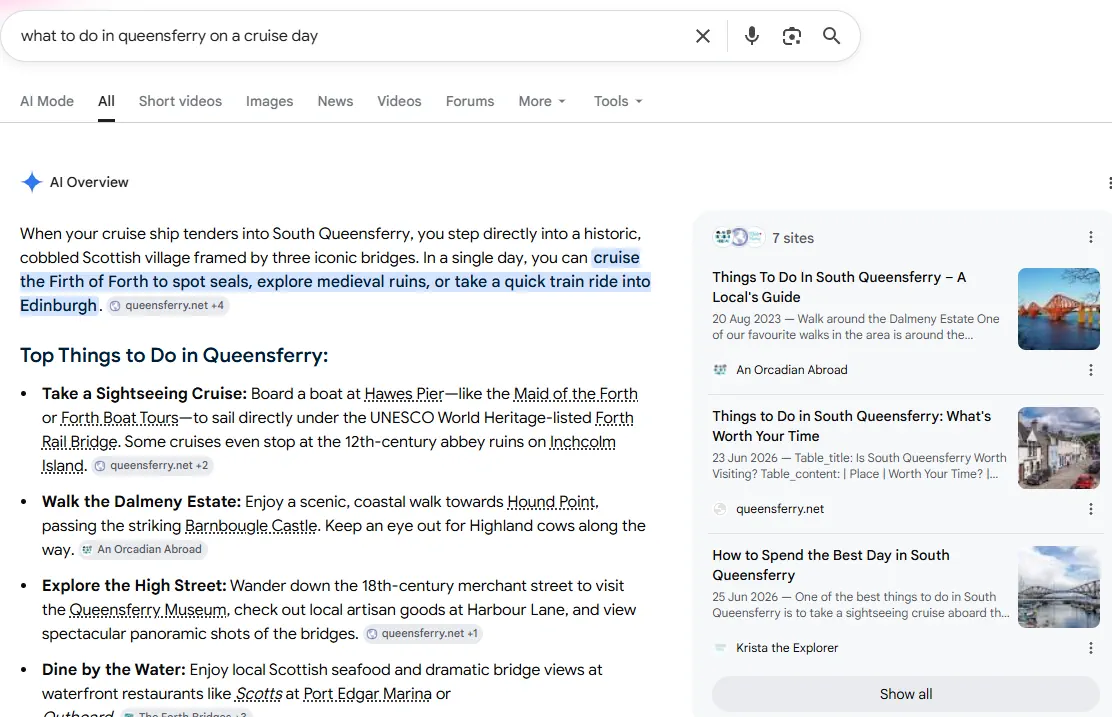
Featured in AI Mode for target queries
Queensferry.net content structured for AI citation from the start — FAQ schema, entity markup, and atomic H2 answers that AI Overviews can pull directly without summarising. (4+ Badge)
GEO is where the real opportunity sits right now. Most sites weren’t built to be cited by AI Overviews — the content doesn’t answer specific questions cleanly enough, and the structure isn’t there to support it. That gap is closeable with the right on-page decisions, and most competitors haven’t made them yet.
Clients who’ve invested in content or backlinks but haven’t seen movement. Usually the architecture was wrong before the first piece was written. Authority doesn’t compound without a foundation underneath it.
AI Overviews pull from pages that answer specific questions directly. FAQ schema, entity markup, and atomic H2 answers are decisions you make at build time. Retrofitting them works — but you’re playing catch-up on sites that got it right from the start.
I manage four sites across SEO and GEO. The digest reports and keyword tools I offer started as tools I built for my own use — because nothing off-the-shelf tracked the compound growth across multiple domains the way I needed it to.
28-day vs prior 28-day comparison across clicks, impressions, CTR, and position. Surfaces risers, fallers, quick wins, and gone-quiet queries before they become problems.
- Query and page-level movement at a glance
- Position 11–30 opportunity callout
- GA4 sessions and engagement rate overlay
Full on-page diagnostic for underperforming pages. Title, meta, H1, heading structure, internal links, schema gaps, and GEO signals — with specific rewrites, not just a list of problems.
- Prioritised fix list with actual copy suggestions
- AI Overview readiness check
- Internal linking opportunities mapped
GSC impression data crossed with DataForSEO keyword research. Surfaces net-new content gaps, high-impression/low-CTR pages, and position 11–30 targets ranked by commercial value.
- Monthly volume, CPC, and competition data
- Pillar–cluster content map built from your data
- Ranked action list with effort vs. reward
How do all these elements fit together?
Every element of an SEO strategy has a structural role — and the order you build in matters. Technical foundations have to be solid before pillar content can hold weight. Pillar content has to exist before cluster articles can support it. Internal links only compound authority once the structure is already there. Get the sequence wrong and the whole thing shifts.
Scroll-triggered & interactive motion
W3 Brand Mark
The animated ElegantW3 logo — three strokes building the W3 mark. Used in the homepage hero and as a loading state across the site.
Architecture First
Visual explainer for the Web method page — showing how site architecture layers build from URL structure through to content and authority.
Authority Through Depth
Visual explainer for the Writing method page — illustrating how long-form operator content builds authority differently from outsourced articles.
Compounding Returns
Visual explainer for the Results method page — showing how traffic, authority, and revenue compound over time when Web + Writing work together.
These started from a specific problem. I needed to explain a layered, architectural concept — how SEO strategy builds from technical foundations upward — without making someone read a diagram or sit through a video. SVG canvas animation turned out to be the right answer.
Every animation runs entirely in-browser. No video file, no CDN dependency — just JavaScript and SVG. Sub-10KB per animation, no bandwidth cost, embeds in any page with a single iframe.
Motion makes people pause long enough to absorb the idea. Pages with animations hold attention significantly longer than the same content without them — and that time-on-page translates into more enquiries from the pages that need it most.
A static screenshot shows what something looked like. A working animation on a portfolio page shows that it actually works. Most agency sites show the former. There’s a visible difference in confidence that creates.
Tools built for real decisions
Plant Doctor
Diagnose common houseplant problems by symptom. Built for MyPlantFactor readers — guides them from “what’s wrong with my plant” to a fix in under a minute.
Shore Day Planner
Helps cruise passengers plan their time in South Queensferry — built around ship schedules, walk times, and what’s actually worth doing with 4–6 hours ashore.
Open full app →GEO Readiness Checker
8 questions that diagnose whether your site is structured to appear in Google AI Overviews — and exactly what to fix if it isn’t.
Project Brief Builder
6 quick questions that turn what you need into a structured brief — ready to send without a back-and-forth intro call.
Both tools started as content gaps. I had pages ranking for questions that a 2,000-word article couldn’t really answer — the user needed to give me information first, then get something specific back. Interaction solved what writing couldn’t.
Embedded tools keep users on-site longer, create natural affiliate click moments, and build the kind of engagement signal that matters commercially. A tool that earns while it answers is worth building — once, at low cost, with no ongoing server overhead.
Pure JavaScript, no backend, no database. Runs anywhere you can paste an iframe — no server cost, no dev dependency, nothing to maintain. The whole demo fits in a single self-contained file.
Users who click through a tool convert at a higher rate than users who read a post. The interaction creates intent. That matters for affiliate monetisation on a content site — and it matters for client enquiries on a portfolio.